Introducing RHAWA Atlas
 Over the last several years, RHAWA has implemented a few different off-the-shelf applications for digital signing of our legal forms. For various reasons, each of those options became unavailable. Now, taking things into our own hands, we are working with a developer to create a custom application designed with our core membership in mind.
Our approach is to start simply. The application allows you to select forms and compile into a lease signing package (lease and addenda) that is custom designed for our members, while the underlying digital signature functionality is a time-tested and reliable application, SignNow—launched in 2011 with more than 28 million users worldwide. Documents signed via SignNow are legally valid and enforceable in court under eSignature laws like the ESIGN Act. SignNow ensures signatures are tamper-evident and provides a detailed audit trail for non-repudiation.
The development process for RHAWA Atlas began in October, and we completed our phase 1 launch in December 2025. If you are interested in learning more about this product, please visit RHAwa.org/atlas-digital-leasing or look for access to the new digital leasing tool on your Member Access menu or Member Compass page.
ADDITIONAL ATLAS MODULES PLANNED FOR FUTURE
Over the upcoming months and years, we plan to add modules and features to Atlas. Future modules might include an integration with Intellirent, a rent pay feature, repair requests and other tenant communications, bookkeeping features, and more. We are working with a group of member stakeholders as we develop and test each iteration of this application. If you would like to be part of this testing group, please contact me at dmyers@RHAwa.org.
USING ATLAS FOR DIGITALLY SIGNING RHAWA FORMS
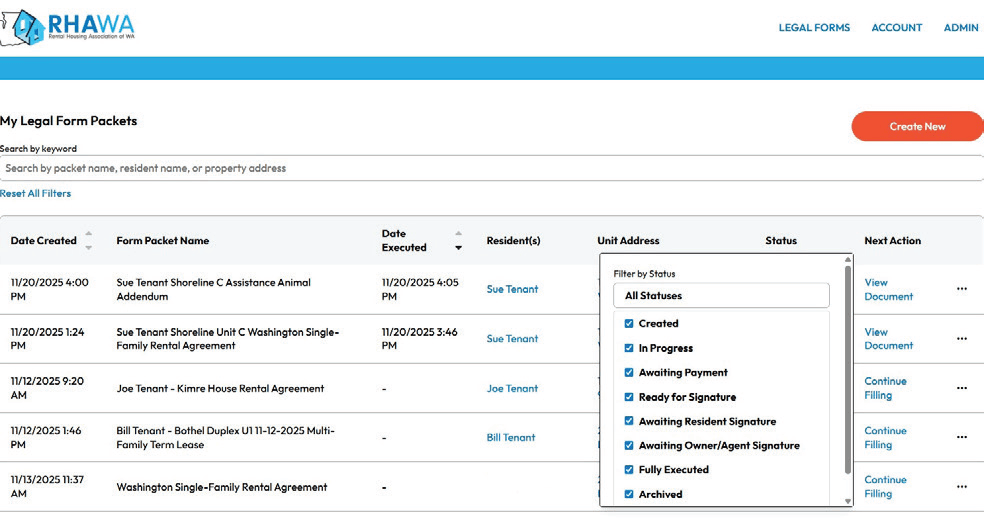
- RHAWA Atlas will become the hub for navigating your rental business as we continue to build out this custom application designed with Washington’s independent rental owners in mind.
- At first, all your Legal Form Packets will be listed, filterable and sortable by various factors. Current status and next action are listed for each packet.
- Select Create New to start a new forms packet by selecting or adding a property, then selecting or adding all signing parties.
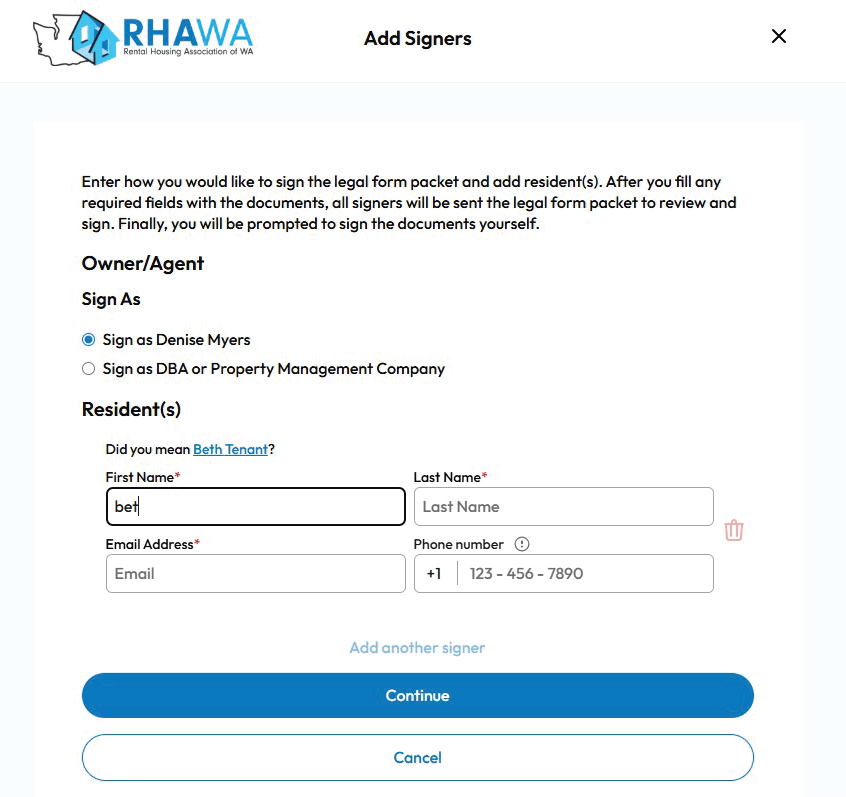
- Build your packet by selecting a Category to help you find the appropriate form based on what you want to do, or search for a specific form. Use the Jurisdiction selector to identify any forms required in the city or county where the property is located.
- After filling in all the details, download completed forms to print and manually sign, or pay a nominal fee to send them for digital signature. This fee covers costs charged to RHAWA for each packet sent for signing.
- Enter and manage details on your properties, residents, payment methods, and your personal or business information under the Account menu.
Start using Atlas today! Reach out to us at office@RHAwa.org with any questions, feedback, or suggestions for future expansion.